 TABLET PROTouch Gamepad
Windows gaming. A little more hands-on.
Your screen.
Your controller.
Turn your Windows touchscreen into an Xbox-style controller. Play with familiar on-screen buttons—or unlock gestures that follow your hands.
Free touch controls · Optional paid Gesture Pack
Built around your hands
Less reaching.
More playing.
Your controls belong where your hands naturally rest. Make room for the game—and make the controller your own.
The layout you know.
On the screen you have.
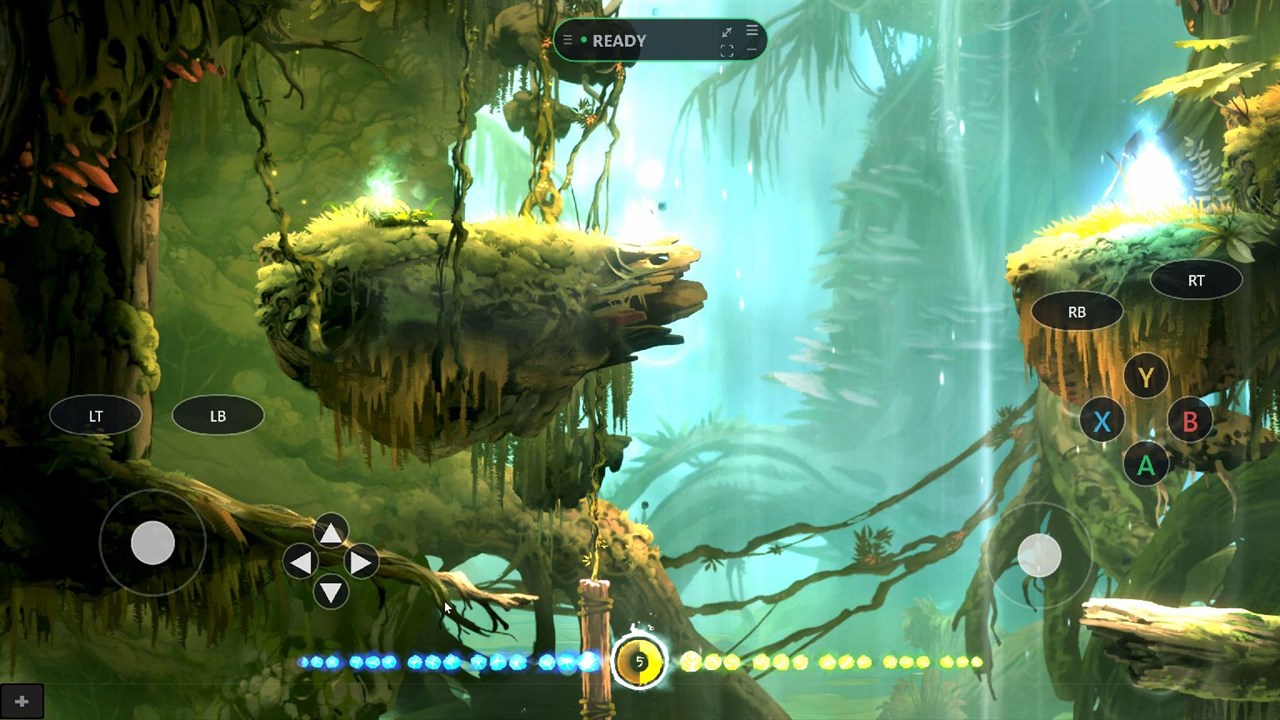
Move, jump, aim and interact with familiar Xbox-style controls. Start with the full direct-touch controller, then adjust the layout to suit you.
- Left and right analog zones
- ABXY, D-pad and shoulder controls
- Visibility, position and opacity settings
Let muscle memory
take the lead.
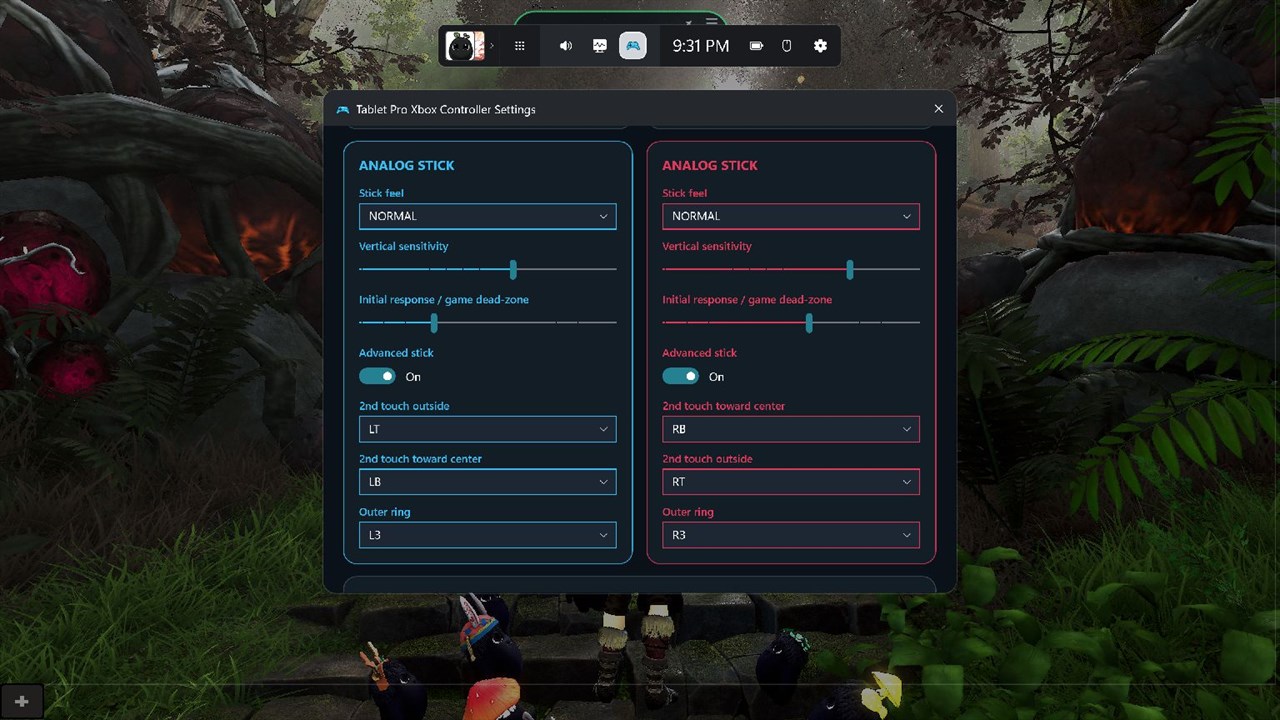
The optional Gesture Pack turns multi-finger touches and directional swipes into mapped controller actions. Customize each side independently.
- Multi-finger holds and combinations
- Directional swipes and stick actions
- Separate left- and right-side mappings
A little island.
A lot of control.
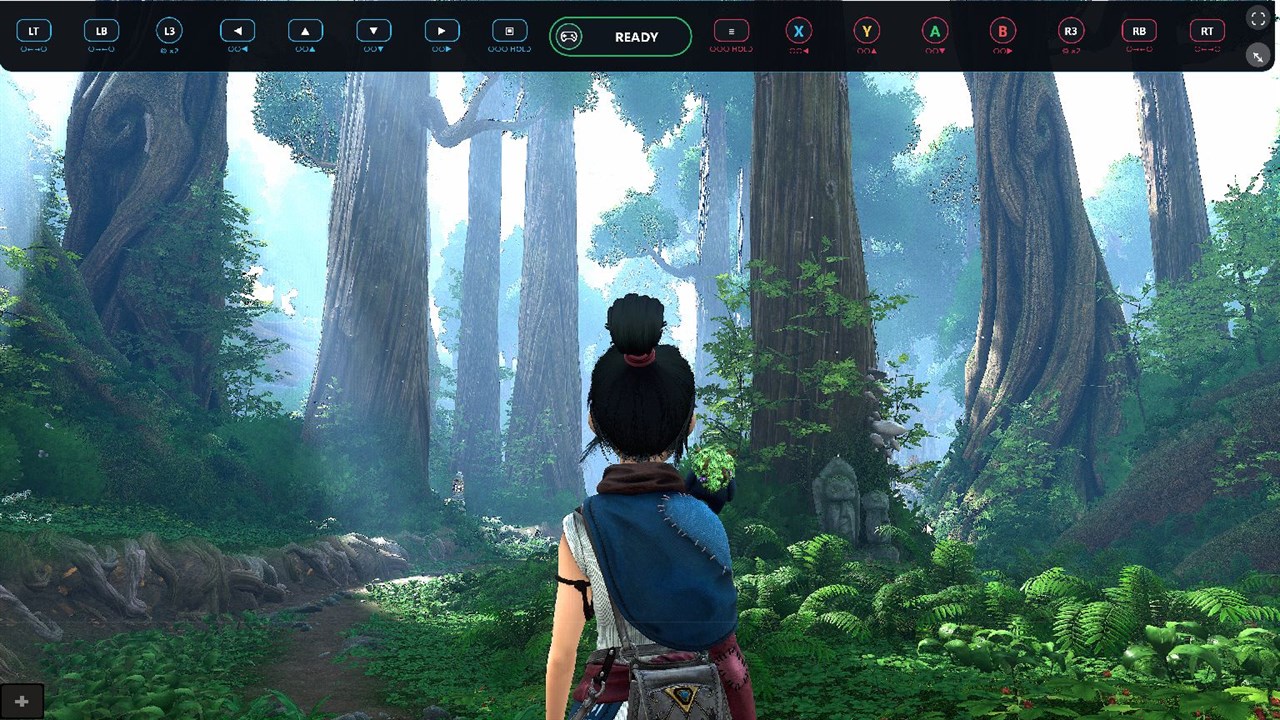
See live input feedback without a large settings window covering the action. Expand the strip when you want the controller’s buttons in one place.
- Live pressed-button feedback
- Compact status at a glance
- Expanded direct-touch button strip
Watch gestures in action
12 seconds · Real-time gameplay
Press play. Silent video · loops until you pause.
- 01Move + look
- 02Stack actions
- 03Hold + aim + fire
Watch both hands: guide movement and the camera, combine touch actions, then aim and fire—all directly on the screen. Recorded at real speed and edited for length.
Game footage is shown to demonstrate the controller. Games are sold separately.
Optional Gesture Pack
Eyes on the game.
Hands in the flow.
Stop hunting for tiny targets. Use broad touch zones, multi-finger holds and directional swipes to make actions feel like movements.
Chain the action. Hold a mapped button, add a swipe, and build combinations without reaching across the screen.
Make it yours. Assign gestures separately on the left and right for the way you like to play.
A little movement. A bigger combo.
Example mapping: hold A, then swipe toward Y.
Your gesture actions are customizable.
No gesture subscription.
USD price shown in the current US Store listing. Local pricing and taxes may vary. Direct-touch controls remain free.
Not one-size-fits-all
Your hands.
Your play style.
A comfortable controller is personal. Give yours the spacing, feel and visibility you want.
Cyan for the left. Red for the right.
A clear visual language, from controls to settings.
Find your comfortable reach.
Place touch zones and buttons where they feel natural instead of forcing your hands into a fixed layout.
Dial in the movement.
Adjust stick response, dead zones and smoothing to balance deliberate movement with filtering out accidental touches.
Keep the view clear.
Choose how visible your controls should be with opacity, visibility and button styling options.
The current Store edition
Pin it. Play it.
Xbox Game Bar keeps your touch controller above compatible games, even after you close the Game Bar menu.
Get Gamepad.
Download Tablet Pro Gamepad from Microsoft Store. Complete the app’s setup, including the required virtual controller driver.
Bring it over your game.
Press Win + G, open the Gamepad widget and pin it. Close Game Bar to return to the game with your controls in place.
Make the first move.
Start with free touch buttons. Adjust the controls for your hands, then explore the optional Gesture Pack when you want more.
Some games block overlays or virtual controllers. Try the free touch controls with your game before buying the Gesture Pack.
What can I use for free?
The complete direct-touch controller: analog zones, D-pad, action and shoulder buttons, plus the status island and expanded button strip. The Gesture Pack is optional.
Do I need a physical Xbox controller?
No. Touch Gamepad sends controller input through the required Tablet Pro virtual controller driver. Your Windows device needs suitable multi-touch input for the touch controls and multi-finger gestures.
Does it work with every game?
Compatibility varies. A game must accept the controller input, and some games or anti-cheat systems can block overlays or virtual controllers. Test the free mode with your games first.
Is the Gesture Pack a subscription?
No. The current US Microsoft Store listing describes Gesture Controls as a one-time $9.99 upgrade. Purchase it in the app; your local Store shows the final price and applicable taxes.
Why does it use Xbox Game Bar?
The current Store edition uses Xbox Game Bar to keep a pinned controller overlay above compatible games. Pin the widget, then close the Game Bar menu to play. A separate desktop experience is in development preview.
Will it run on my Windows tablet?
Check Microsoft Store’s current system requirements for your device. Driver availability, processor architecture, multi-touch support and game compatibility all matter. An available package alone does not guarantee every device will work.
Are games or ROMs included?
No. Touch Gamepad is a controller application. The optional Super Nintega development preview also requires your own permitted game files; Nintendo ROMs and firmware are not supplied.
Your next game.
A new way to play.
Start with the free touch controller. Make it yours.
Touch Gamepad is a Tablet Pro product and is not affiliated with or endorsed by Microsoft or Nintendo. Xbox, Windows and Nintendo-related names belong to their respective owners. Game imagery in product screenshots belongs to its respective rights holders and does not imply games are included.